On this page
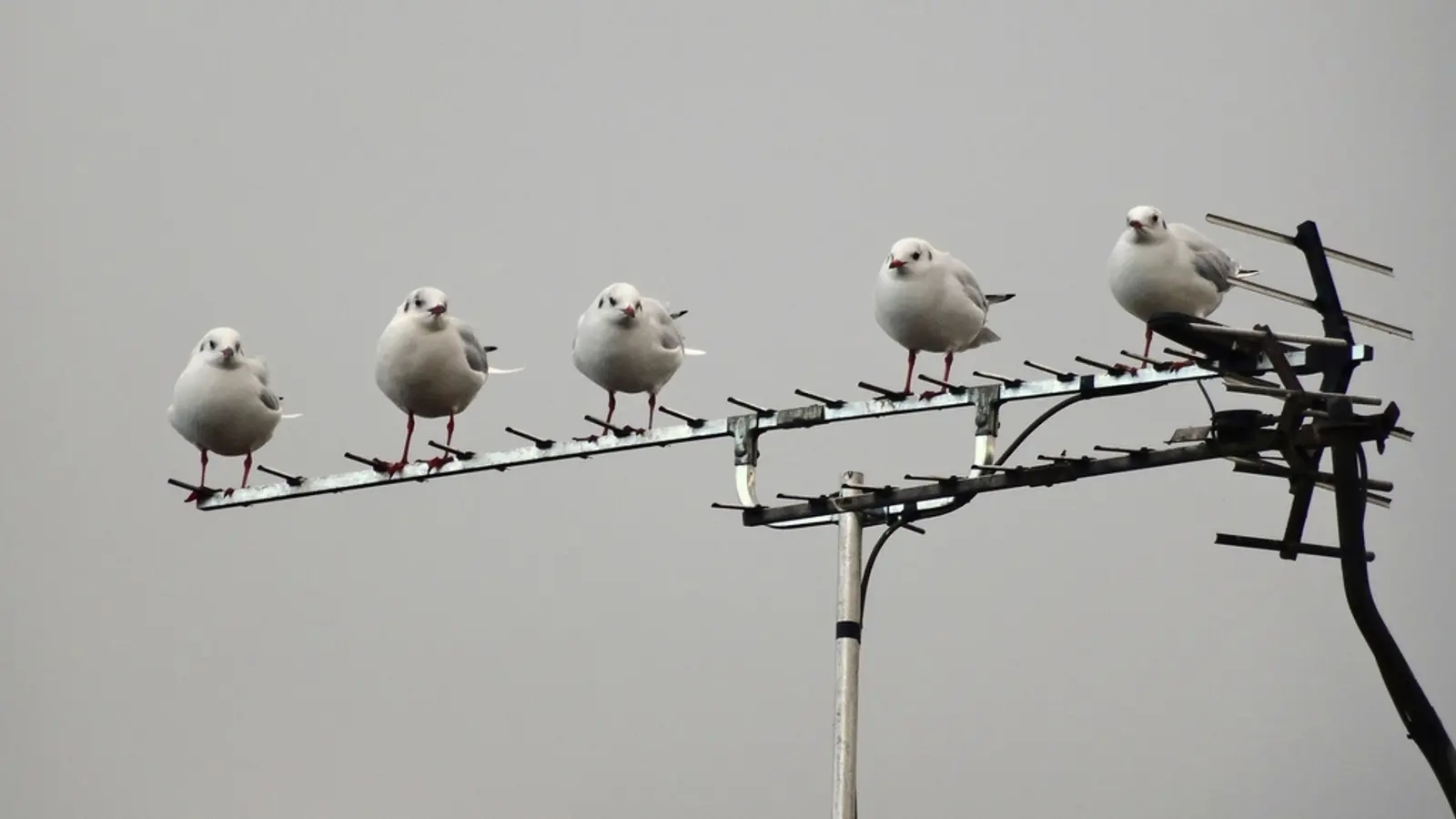
The free way to get local channels is an antenna. In most of the US, your local ABC, CBS, NBC, FOX and PBS stations, plus others like The CW, ION and Univision, broadcast free over the air in HD. Connect an antenna to your TV, run a channel scan, and you have them with no monthly bill. Picture quality is often better than cable, because the signal isn't compressed as heavily.
It's the one thing free streaming apps can't give you, which is why it pairs so well with free live TV apps.
Step 1: Check which stations reach your home
Before buying anything, see what's receivable at your address. Enter it into the FCC's reception maps (FCC DTV reception maps) or RabbitEars (rabbitears.info). Both show each station, its signal strength at your location, and which direction the towers are.
Note two things from the results:
- Signal strength. Strong (green) stations will work with almost any antenna. Weak ones need a better antenna, placed higher.
- Direction. If all your stations are in one direction, a directional antenna aimed that way works well. If they're scattered, you want one that receives from several directions.
Step 2: Choose the right antenna
| Type | Best for | Trade-off |
|---|---|---|
| Flat indoor antenna | Cities and suburbs within about 25 miles of the towers | Cheap and easy, but walls and floors weaken signals |
| Attic antenna | Suburbs, and homes where outdoor mounting isn't allowed | Better reception than indoors; some roofs block signals |
| Outdoor / rooftop antenna | Rural areas, weak stations, hills | Best reception, more work to install |
Ignore the mileage printed on the box. "150-mile range" claims describe perfect conditions nobody has. Your terrain, buildings and height matter far more.
One technical detail that catches people: a few stations broadcast on VHF frequencies, which many small flat antennas receive poorly. If the reception maps list channels in the VHF range (real channel 2 to 13), choose an antenna that says it supports VHF as well as UHF.
Step 3: Place it well
- Higher is better. An upstairs window beats a downstairs one; the attic beats both.
- Face the towers. Put it on the side of the house facing the stations, near a window if indoors.
- Avoid metal and electronics. Keep it away from metal blinds, radiators and the back of the TV.
- Test before you fix it in place. Scan, note the channel count, move it, and scan again.
An amplifier only helps if you're running a long cable or splitting to several TVs. Near strong towers, it can make reception worse by overloading the tuner.
Step 4: Scan for channels
- Connect the antenna to the TV's Antenna / Ant In / RF input.
- In the TV's settings, find Channel scan, Auto program or Channel tuning and choose Antenna (not Cable).
- Run the scan. It takes a few minutes.
- Rescan every few months, and whenever a station goes missing. Stations occasionally change frequencies.
Watching antenna channels on streaming devices and other TVs
If you mostly use a Fire TV Stick, Roku stick, Apple TV or phone, a network tuner is the answer. Devices like the HDHomeRun and Tablo connect the antenna to your home network and stream channels to their apps on every TV, phone and tablet in the house. Many also record, which gives you a free DVR (Tablo includes a guide; HDHomeRun offers an optional DVR service).
TVs with Fire TV or Roku built in usually have a tuner too, and antenna channels show up in their live guide alongside streaming channels. See free live TV on Firestick and free live TV on Roku. You can even feed antenna channels into a home media server like Jellyfin, covered in IPTV in Jellyfin.
What about NextGen TV (ATSC 3.0)?
NextGen TV is the newer broadcast standard, with 4K and better mobile reception on the roadmap. It's on air in many markets alongside the standard signal, but its rollout has stalled. Some NextGen channels are encrypted, which limits which devices can show them, and in May 2026 the industry group behind it admitted "the marketplace took it as far as it could" and asked regulators to phase out today's standard from 2028 in major markets (Lon.TV).
What that means for you today: any TV picks up the current HD signals, and those aren't going anywhere soon. Don't pay extra for a NextGen tuner unless you have a specific reason, and keep an eye on the FCC's decision before buying expensive tuner hardware.
Outside the US
Most countries have free over-the-air TV too: Freeview in the UK (freeview.co.uk), Freeview in Australia and New Zealand, and over-the-air stations in Canada's cities. The steps are the same: check coverage, choose an antenna for your distance, place it high, and scan.
Pair an antenna with a couple of free streaming apps and you have most everyday TV covered for nothing. We run the numbers against paid options in IPTV vs cable.
Frequently asked questions
- How can I watch local channels for free?
- With an antenna. Local ABC, CBS, NBC, FOX, PBS and other stations broadcast free over the air across most of the US. Connect an antenna to your TV, run a channel scan, and they appear with no subscription.
- Do I need a special TV for an antenna?
- No. Any TV sold in the US in the last 15 years or so has a digital tuner built in. Look for an input labelled Antenna, Ant In or RF, then run a channel scan in the TV's settings.
- What about NextGen TV (ATSC 3.0)?
- It's broadcasting in many markets alongside the standard signal, but some NextGen channels are encrypted and the rollout has stalled. Broadcasters have asked the FCC to phase out the current standard from 2028 in major markets. For now, any TV picks up the standard HD signals.
- Can I watch antenna channels on a Fire TV Stick or Roku?
- Yes, with a network tuner such as an HDHomeRun or Tablo, which connects the antenna to your router and streams channels to apps on your devices. Fire TV and Roku smart TVs with a built-in tuner can use an antenna directly.
- How far away can an antenna pick up channels?
- It depends on terrain, buildings and the antenna. Many city homes get dozens of channels with a small indoor antenna; rural homes 40+ miles from towers usually need an outdoor or attic antenna. Ignore big mileage claims on packaging.
Written by
Editor
Sam edits IPTVTips and tests players on Fire TV, Google TV and Apple TV. Replace this bio with your real editor's background.
More from Sam

Comments
Sign in to ask a question or share what worked for you.
Sign in to commentNo comments yet. Questions about a step that didn't work for you are welcome.