On this page
The best IPTV player for Apple TV is UHF, with IPTVX a close second. Both are on the App Store, both handle M3U playlists and Xtream Codes logins, and both have a real TV guide. TiviMate, the favourite on Android, doesn't exist on Apple devices, so ignore any App Store app with a similar name. We checked the US App Store on 30 September 2026 for everything below.
The short list
| App | Best for | Formats | Cost |
|---|---|---|---|
| UHF | Best all-rounder, live TV | M3U8, Xtream, Plex, Jellyfin, Emby | Free, optional purchases |
| IPTVX | Polished films and series, HDR | Xtream, M3U, Plex, SMB shares | Free, optional purchases |
| Smarters Player Lite | Simple M3U playback | M3U | Free, optional purchases |
| VLC | Testing a playlist | M3U, M3U8 | Free |
UHF: our pick
UHF is built by Short Wavelength Applications and was rated about 4.7 from roughly 2,500 reviews on the US App Store when we checked (UHF on the App Store). What makes it the pick:
- Formats: M3U8 playlists, Xtream logins, and Plex, Jellyfin or Emby libraries, so it can combine a live TV service with your own media server.
- A guide that suits the Siri Remote, fast to swipe through, with catch-up for services that offer it.
- Recording through UHF Server, a free companion app you run on a Mac, Windows or Linux computer at home.
- Picture-in-picture on iPhone and iPad, and parental PIN locks for channel groups.
The developer says it doesn't lock the essentials behind a paywall. Optional purchases add extras.
IPTVX: the polished alternative
IPTVX, from Bending X, supports Xtream, M3U, Plex and network shares (SMB), with an EPG grid, catch-up, AirPlay, search across guide and films, and Dolby Vision, HDR10 and HLG playback (IPTVX on the App Store). It had about 3,100 ratings averaging 4.4 when we looked.
Where it shines is on-demand content: films and series look like a proper streaming app, with artwork and episode tracking. If most of what you watch is VOD rather than live channels, IPTVX may suit you better than UHF.
Smarters Player Lite and VLC
Smarters Player Lite is from the same company as the removed IPTV Smarters Pro. It plays M3U playlists and is simple, but it's the least capable of the three. VLC is free and plays almost anything, but it has no TV guide. Keep it for checking whether a playlist works; see playing M3U in VLC.
The lookalikes to skip
Search the App Store for "TiviMate" and you'll see apps like "TvMate Pro" and "TiviMato Player Pro". Search "IPTV Smarters" and you'll find an app of that name from a company unrelated to the original. None of these is the app people recommend on forums. They trade on the name. Stick to the developers named above, and check the developer line under the app's title before you install. The background is in what happened to IPTV Smarters Pro.
Channels, if you also have an antenna
If you watch local channels through a network tuner like an HDHomeRun, the Channels app from Fancy Bits (on the App Store) is worth knowing about. It's built around antenna tuners and its own DVR server, with a subscription for recording. It isn't a general IPTV player in the way UHF and IPTVX are, but for antenna-heavy households on Apple TV it's popular. See how to watch local channels free.
One purchase, several devices
UHF and IPTVX run on iPhone, iPad and Apple TV, and both are available on Apple Silicon Macs too. Setting up on one device and watching on another is normal; just remember each stream uses one of your service's connections.
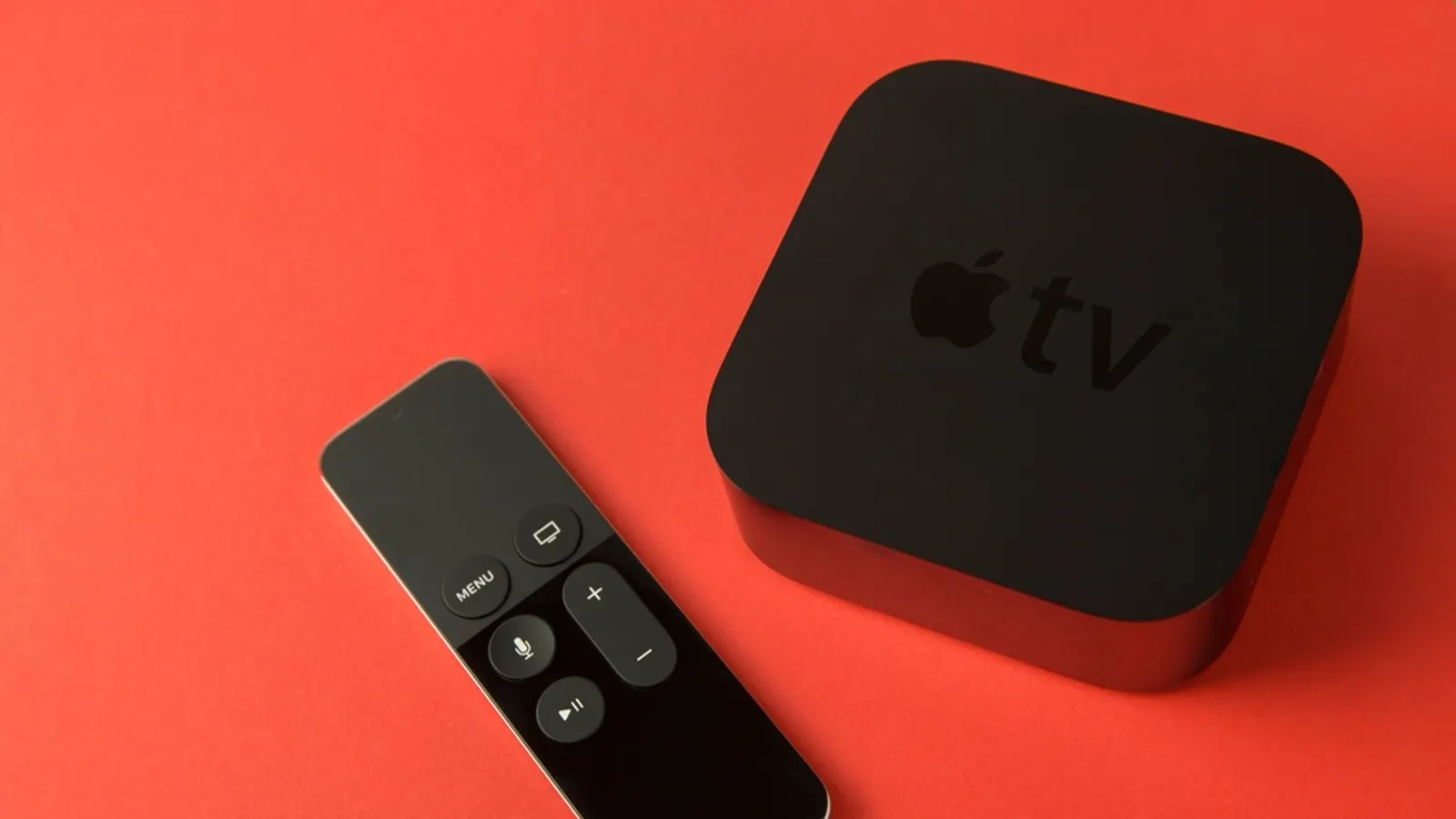
Installing and setting up on Apple TV
- On the Apple TV, open the App Store, search for the app, and install it. If you've already bought it on iPhone, it's usually a universal purchase.
- Open the app and choose to add a playlist or source.
- Pick Xtream if your service gave you a server, username and password, or M3U if you have a single link. Use the iPhone keyboard prompt that appears on your phone to type long details.
- Let it load channels and the guide, then favourite the channels you watch.
Full walkthrough, including AirPlay from an iPhone, in how to set up IPTV on Apple TV.
Apple TV vs other devices for IPTV
Apple TV 4K is fast, well built and gets updates for years, and UHF and IPTVX are genuinely good. It's also the most expensive mainstream option, and TiviMate's guide on a Google TV stick is still the benchmark for heavy live-TV watchers. We compare them in Firestick vs Apple TV vs Android TV for IPTV, and list players for every other platform in the best IPTV player for every device.
Frequently asked questions
- What is the best IPTV player for Apple TV?
- UHF. It handles M3U playlists, Xtream logins and Plex, Jellyfin or Emby libraries, has a guide built for the Apple TV remote, catch-up, and optional recording through a free companion server. IPTVX is a close second.
- Is TiviMate available on Apple TV?
- No. TiviMate is Android TV only. App Store apps with similar names, such as TvMate Pro or TiviMato, come from unrelated developers.
- Is there a free IPTV player for Apple TV?
- UHF and IPTVX are free to download with optional in-app purchases, and VLC is completely free. VLC has no TV guide, so it's best for testing a playlist rather than daily viewing.
- Can I use IPTV Smarters on Apple TV?
- IPTV Smarters Pro was removed from the App Store in 2026. The same developer's Smarters Player Lite was still listed in September 2026 but is more basic than UHF or IPTVX.
Written by
Editor
Sam edits IPTVTips and tests players on Fire TV, Google TV and Apple TV. Replace this bio with your real editor's background.
More from Sam
Comments
Sign in to ask a question or share what worked for you.
Sign in to commentNo comments yet. Questions about a step that didn't work for you are welcome.